
Creating captivating illustrations for children's books is a delightful craft that requires both imagination and technical skill. In recent years, many illustrators have shifted towards digital tools, particularly graphics tablets, to bring their colourful characters and whimsical worlds to life. This modern approach offers a blend of artistic freedom and practical advantages that can transform the way you work, whether you're sketching your first rough outline or applying the finishing touches to a vibrant scene. For those who have long relied on traditional illustration techniques, the transition to digital might seem daunting, yet the benefits are well worth exploring.
The Fundamentals: Drawing and Sketching with a Graphics Tablet
One of the most compelling reasons to embrace a graphics tablet is the natural feel it provides when drawing. Unlike a standard computer mouse, a stylus pen replicates the sensation of holding a pencil or brush, allowing you to sketch with the same fluidity and control you would enjoy on paper. Pressure sensitivity is a key feature here, as the tablet detects how firmly you press down, adjusting the thickness and opacity of your lines accordingly. This responsiveness is essential for creating the expressive, hand-drawn art that gives children's book illustration its warmth and authenticity. You can start with a rough outline on a separate layer, building up your composition just as you would in a traditional sketchbook, but with the added advantage of being able to refine and adjust your work without starting afresh.
Pressure Sensitivity and Natural Line Work for Children's Illustrations
The magic of pressure sensitivity lies in its ability to mimic the organic texture of traditional drawing tools. When you press harder with your stylus, the line becomes bolder and more pronounced, while a lighter touch produces a delicate, airy stroke. This dynamic range is crucial for illustrators who want to capture the charm and emotional connection that hand-drawn art fosters. Whether you're sketching a playful character or detailing the texture of a furry creature, the tablet responds to your movements in a way that feels intuitive and natural. Many illustrators find that their workflow improves significantly once they become accustomed to this level of control, as it opens up new possibilities for shading techniques and creative freedom that are harder to achieve with other digital tools.
Eliminating the faff: digital sketching without traditional materials
Gone are the days of sharpening pencils, dealing with smudged charcoal, or worrying about spills and stains on your work surface. With a graphics tablet, you can dive straight into your creative process without the faff of preparing traditional art materials. There's no need to clean up brushes, wait for paint to dry, or fret about running out of supplies mid-project. Instead, you simply open your preferred software, whether that's Procreate, Photoshop, or even Gimp, and start sketching. This clean workspace not only saves time but also allows you to focus entirely on your artwork. For those who work in smaller studios or shared spaces, the elimination of clutter and mess is a welcome bonus, making it easier to maintain an organised environment where inspiration can flourish.
Colour and Painting Techniques for Children's Book Illustrators
Colour is at the heart of any children's book illustration, setting the mood and drawing young readers into the story. A graphics tablet unlocks a whole rainbow of options, enabling you to experiment with endless brushes and textures without making a right mess of your studio. Traditional painting can be unpredictable, with colours mixing in ways you didn't quite intend, but digital painting tutorial resources show how easy it is to achieve perfect gradients and vibrant palettes. You can blend hues seamlessly, adjust shades with a few clicks, and even undo mistakes instantly. This level of flexibility is invaluable when you're trying to match a specific mood or create a cohesive colour scheme across multiple illustrations, ensuring that every page of your book feels harmonious and engaging.
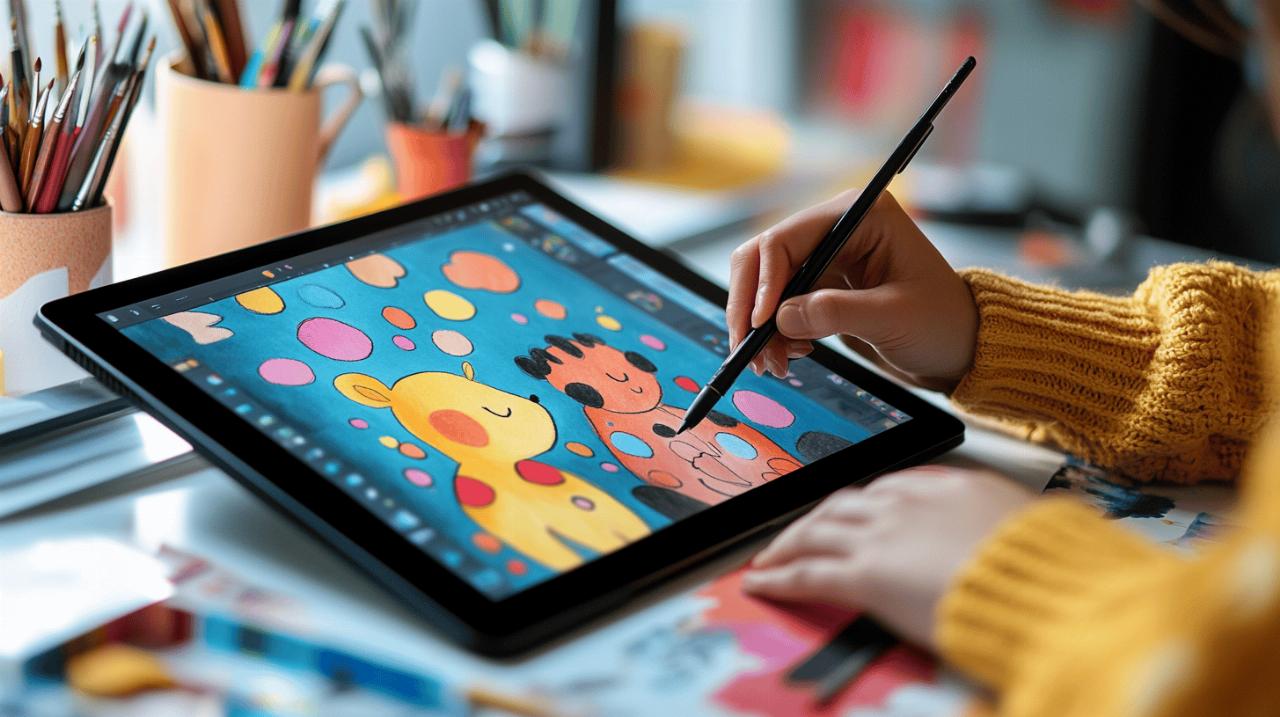
Experimenting with Endless Brushes and Textures in Your Studio
Digital tools offer an astonishing variety of brushes, from soft watercolour effects to bold, inky strokes, and everything in between. You can switch between these options in seconds, experimenting with different styles until you find the perfect look for your project. This is particularly useful for mixed media approaches, where you might want to combine the warmth of traditional techniques with the precision of digital painting. Layers are another game changer, allowing you to separate different elements of your artwork and tweak them independently. For instance, you might create a base layer for your character's silhouette, then add shading on a separate layer set to hard light mode, and finally apply colours beneath it all. This method not only keeps your work organised but also makes it easy to experiment without fear of ruining your original sketch.
Achieving Perfect Gradients and Vibrant Palettes Without the Muddy Mess
One of the common frustrations with traditional paints is the dreaded muddy hue that appears when colours blend too much. Digital illustration eliminates this issue entirely, giving you precise control over how colours interact. You can create smooth gradients that transition from one shade to another without any unwanted mixing, ensuring that your illustrations remain bright and eye-catching. This is especially important for children's books, where bold, vibrant palettes help capture the attention of young readers and convey emotion effectively. Whether you're painting a sunset sky or the cheerful face of a character, the ability to fine-tune every colour choice means you can achieve exactly the look you envision, every single time.
Professional workflow benefits for modern illustrators
Beyond the creative advantages, a graphics tablet offers significant professional benefits that can streamline your workflow and improve your efficiency. In the fast-paced world of publishing, deadlines are tight and expectations are high. Being able to make easy revisions and tweaks without starting from scratch is a massive time-saver. If your publisher requests a change to a character's expression or wants to adjust the colour of a background, you can implement these edits swiftly, often within minutes. This flexibility is something traditional art simply cannot match, as altering a finished watercolour painting can be incredibly challenging and time-consuming. Digital backups also mean you never have to worry about losing your work to accidents or mishaps, providing peace of mind throughout your project.
Speeding Up Your Creative Process with Easy Revisions and Tweaks
The ability to make quick changes is one of the most liberating aspects of digital illustration. If you decide a character's outfit needs a different pattern or a background element isn't quite right, you can adjust it without redoing the entire piece. This encourages experimentation and allows you to refine your illustrations until they're absolutely perfect. Many illustrators find that this ease of revision actually enhances their creativity, as they're not held back by the fear of making irreversible mistakes. Furthermore, collaboration tools and annotation features in software like PDF Reader Pro make it simple to share your work with publishers, editors, or fellow artists, gathering feedback and making improvements in real time. This level of connectivity and flexibility is essential for meeting publisher expectations and delivering high-quality work on schedule.
Creating publisher-ready digital files: saving time and postage costs
Once your illustrations are complete, converting them into publisher-ready digital files is a straightforward process. You can export your work in various formats, ensuring compatibility with your publisher's requirements, and send everything via email or file sharing platforms. This eliminates the need to print, package, and post physical artwork, saving both time and money. Digital files are also easier to store and organise, reducing the clutter of keeping numerous sketches and paintings on hand. For those concerned about hardware costs and the initial investment in a drawing tablet and software, it's worth noting that the per-project costs are often lower in the long run compared to continually purchasing traditional art materials. While there is a learning curve involved in mastering digital tools, the long-term benefits in terms of efficiency, flexibility, and professional output make it a worthwhile endeavour for any children's book illustrator looking to embrace modern techniques.